Trash Manager - Clean Cache1.0.1
Publisher Description
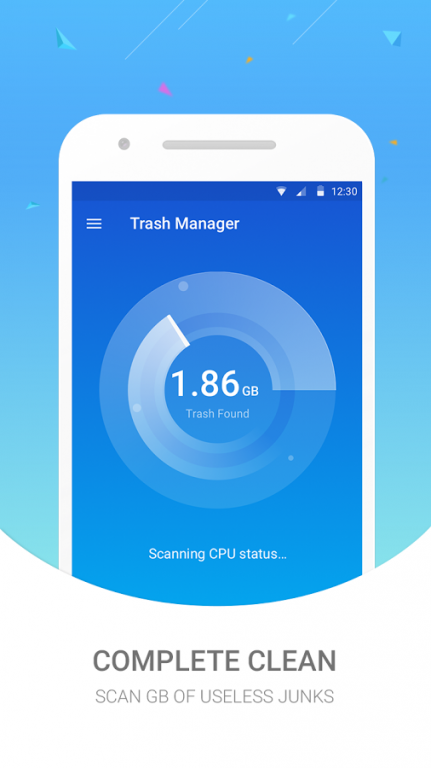
Is your Android device performance slowing down?
Do unwanted Apps and redundant files occupy your mobile device's storage space?
Trash Manager, the fast and powerful cleaner that helps you to free up storage, clean up memory!
Main Features
► Junk Files Cleaning
Delete cache and residual files to free up device storage. Auto-detect and remind of junk files to always keep a clean device.
► Phone Boost
Clean the running applications in the background to free up RAM and improve device performance.
►CPU Cooler
Some applications run in the background and consume a lot of resources. Trash Manager can help kill them and cool down CPU.
► Battery Saver
Shut down battery draining applications which are running in the background through the accessibility access.
Battery draining applications: even if your device is not being used, some applications may automatically restart and run in the background. These applications may conduct the background operations such as searching GPS or transmitting data which consume battery power and reduce battery life
Trash Manager is 100% FREE and 100% GREEN. This 4MB tiny junk cleaner & speed booster will guard your phone and make it faster than new!
About Trash Manager - Clean Cache
The company that develops Trash Manager - Clean Cache is Mighty Cleaner Lab. The latest version released by its developer is 1.0.1.
To install Trash Manager - Clean Cache on your Android device, just click the green Continue To App button above to start the installation process. The app is listed on our website since 2016-09-29 and was downloaded 18 times. We have already checked if the download link is safe, however for your own protection we recommend that you scan the downloaded app with your antivirus. Your antivirus may detect the Trash Manager - Clean Cache as malware as malware if the download link to com.clean.speed.cleaner.booster.master.device is broken.
How to install Trash Manager - Clean Cache on your Android device:
- Click on the Continue To App button on our website. This will redirect you to Google Play.
- Once the Trash Manager - Clean Cache is shown in the Google Play listing of your Android device, you can start its download and installation. Tap on the Install button located below the search bar and to the right of the app icon.
- A pop-up window with the permissions required by Trash Manager - Clean Cache will be shown. Click on Accept to continue the process.
- Trash Manager - Clean Cache will be downloaded onto your device, displaying a progress. Once the download completes, the installation will start and you'll get a notification after the installation is finished.
